
Endless support for CKEditor 4 in Drupal
The Drupal CKEditor module is ending support for CKEditor 4. However, you still have the option to connect CKEditor 4 through custom modules and continue using it. Of course, using the new CKEditor 5 or later is preferable, but the legacy CKEditor module is still used by more than 140,000 sites (every fourth Drupal site!):
https://www.drupal.org/project/ckeditor
Let me clarify right away that using CKEditor 4 for anonymous users is unsafe, and if you rely on CKEditor for anonymous users so they can leave comments or create content on the site (for example, issues in a bug tracker), then you have no choice but to use CKEditor 5.
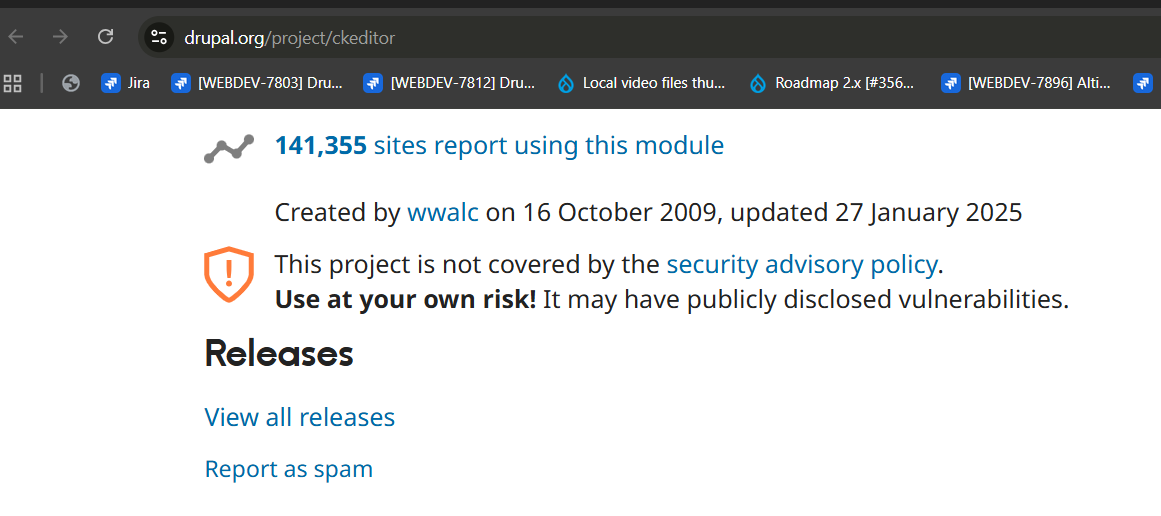
CKEditor 4 is unsafe to use — it contains vulnerabilities that allow adding JavaScript and CSS while bypassing access permissions. But for many, the ability to add CSS and JavaScript directly inside the WYSIWYG editor is a feature, not a bug. If you use CKEditor only for your company’s internal site editors and no one else adds content to the site, then you can safely continue using CKEditor 4. It is still a vulnerability, because if attackers steal your editor’s account credentials, they could break your website by injecting JavaScript code into every page.
https://github.com/ckeditor/ckeditor4/security/advisories/GHSA-fq6h-4g8v-qqvm
But many are willing to take such risks because there is no direct way to update CKEditor 4 plugins to CKEditor 5. This requires a large amount of time for validating each plugin, testing new plugins across many pages is challenging, and something may go wrong when converting HTML tailored for CKEditor 4 into HTML for CKEditor 5.
On one of my projects, I built a custom image upload form using IMCE and Editor Advanced Image:
https://www.drupal.org/project/imce
https://www.drupal.org/project/editor_advanced_image
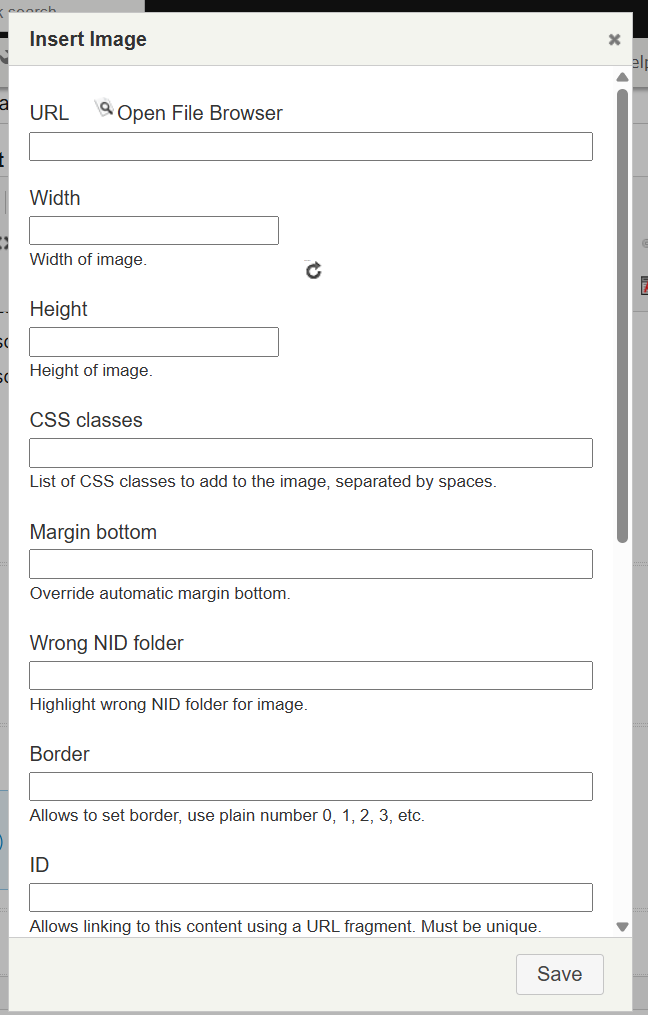
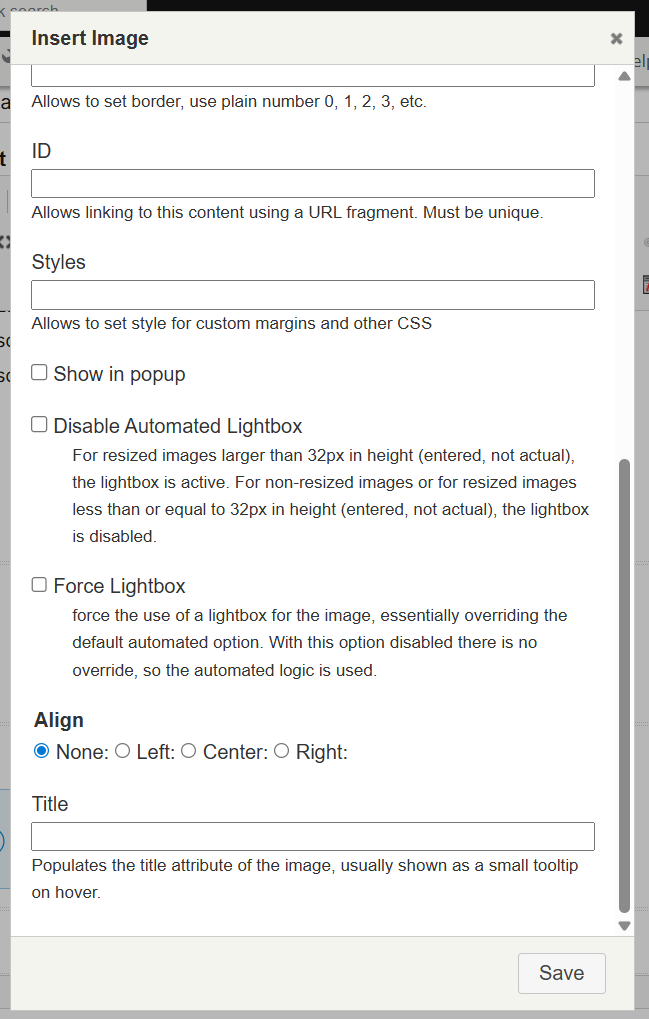
Meanwhile, CKEditor offers such a simplified image upload implementation:

Image uploading in CKEditor 5 looks more modern and pleasant, but it doesn’t feel like the Swiss Army knife we’re used to in the Drupal admin UI.
CKEditor 4 also has a set of additional plugins that simply did not exist in CKEditor 5 even two years after its release, such as anchors (Anchor):
https://www.drupal.org/project/usage/anchor_link
A third of all sites using the Anchor Link module are still running CKEditor 4.
CKEditor 4 provides familiar functionality for the technical writers on my project, and they do not want to switch to CKEditor 5.

CKEditor 4 can work perfectly with Drupal 11 after small modifications to the CKEditor module:
https://www.drupal.org/project/ckeditor
I upgraded Drupal 10 to Drupal 11 and kept CKEditor 4 as the visual editor for our technical writers, making the upgrade between Drupal versions seamless for them. If you also need to upgrade Drupal to newer versions while keeping CKEditor 4 working, feel free to write to me on LinkedIn or via email:
https://www.linkedin.com/in/ivan-abramenko/