
Localize Drupal
Usually Drupal downloads translations for interface automatically if you enabled module Interface Translation:

Here is localize.drupal.org site where you can check how many strings were translated for your language.
After you enabled Interface Translation module (it will enable Language module automatically) you need to add you langauge on Languages page /admin/config/regional/language (Configuration > Region and language > Languages):
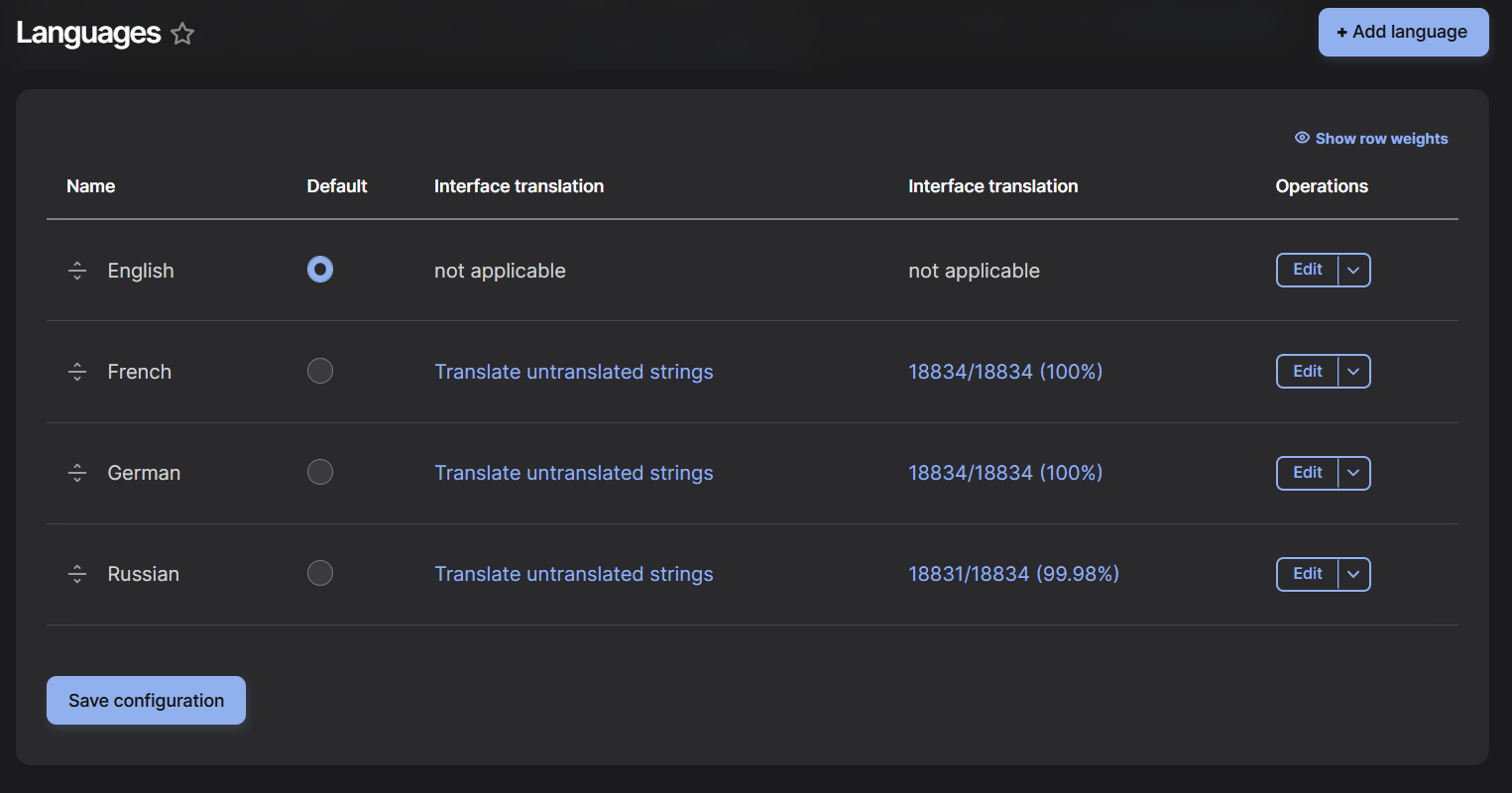
But if your interface is not fully translated, you can download .po file for you language with all translations from here and import it on /admin/config/regional/translate/import page.
Click Ctrl+S to save .po text file:
Import page is located in Configuration > Region and language > User interface translation > tab Import:
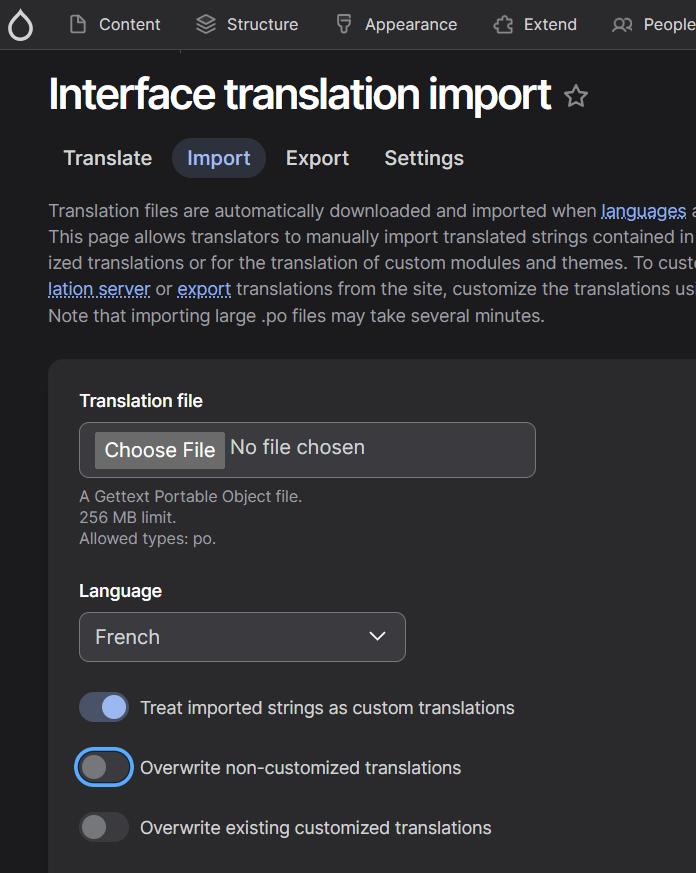
It will update translation strings for your language in batch process.
If you want to improve translations for your language, you can submit suggestions on:
Also feel free to use any translations from the .po files: